
Introduction
What You Actually Need Before a Website Redesign Starts
Here's a pattern we see regularly. A business decides it's time for a new website. They brief a designer, the work starts, and somewhere around week three the whole thing grinds to a halt. Nobody can find the domain login. The copy hasn't been written. Three different people have three different opinions about which shade of blue is "the right blue." The project drags on for months, costs twice what was originally quoted, and the final site is a compromise nobody is completely happy with.
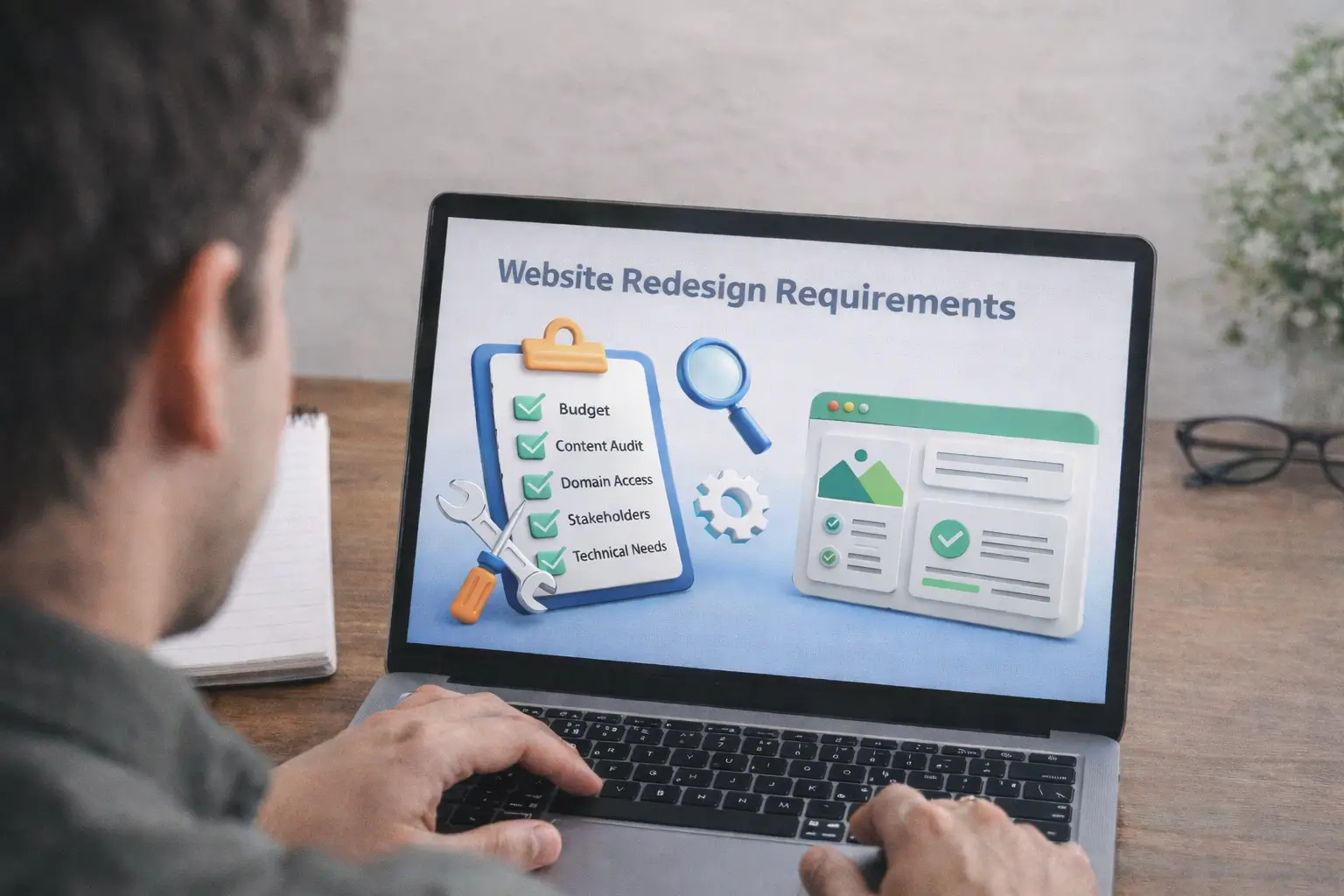
None of that is the designer's fault. The problem was that the website redesign requirements were never properly established before work kicked off. That's what this guide covers: what you actually need to have figured out, gathered, or decided before any creative or technical work begins.
This isn't a planning guide. If you want the project management side, our detailed redesign strategy guide covers how to structure and run a project from start to finish. This post covers what needs to be in your hands before that planning begins. Think of it as the checklist you work through first.
Business Requirements: Budget, Timeline and Who Signs Things Off
Before anyone opens a design tool or writes a line of code, you need answers to three non-technical questions: how much can you spend, how long do you have, and who gets the final say? Getting clarity on these upfront saves an enormous amount of friction later.
Budget
You don't need a precise figure before talking to anyone. What you do need is a realistic range. For Irish SMEs, a professional five-to-ten page redesign generally starts around €1,500 to €3,000. Once you add ecommerce, custom functionality, or a large content migration, you're typically looking at €5,000 to €20,000 or more.
The thing to avoid is going in with "as cheap as possible" as your only constraint. That's not a brief, it's an invitation for misaligned expectations on both sides. Something like "we have €4,000 and want to get the most out of it" is workable. It allows a proper conversation about what's achievable rather than a guessing game.
Timeline
A solid redesign of a five-to-eight page service website, done with real SEO setup and proper pre-launch testing, takes roughly four to six weeks from kickoff to go-live. Larger projects, anything with ecommerce, blog migration, or custom integrations, are more realistically eight to sixteen weeks. If you have a hard external deadline, a product launch, a trade show, a new financial year, say so from the very first conversation. It changes what's achievable and what needs to be phased or cut. Finding out that constraint in week six is a bad situation for everyone.
Stakeholder Buy-In
This trips up more projects than almost anything else. A redesign stalls when someone with approval authority wasn't involved closely enough early on, and their feedback arrives after substantial work has already been built. Before the project starts, agree on who gives input on design, who signs off on copy, who controls the budget, and who gives the final green light on launch. Even writing those names down and sharing them with whoever you're working with can prevent weeks of confusion later on.
Once your business requirements are sorted, our website redesign strategy and planning guide is where the actual project framework comes together.
Technical Requirements: Hosting, Platform and the Details People Miss
Technical requirements are the ones that catch businesses off guard mid-project. They're not glamorous, but missing any of them causes real delays and real extra cost once the build is underway.
Hosting
Where is the new site going to live? Managed WordPress hosting like Bluehost, cloud hosting like DigitalOcean, or basic shared cPanel hosting all perform differently and cost differently. If your current site loads slowly and that's part of why you're redesigning, the hosting environment is part of the solution. Leaving it for after launch means building a better website on the same broken foundation. For Irish businesses, a European server location is better for local page load speeds and helps with GDPR data residency requirements.
Domain Access
This is the one that causes the most unnecessary chaos at go-live. You need admin access to your domain registrar to make DNS changes when the new site launches. Businesses that had their domain registered by a previous agency several years back regularly discover, on go-live week, that nobody can find the login. Check this on day one. It takes ten minutes and prevents potentially days of recovery work at the worst possible moment.
SSL Certificate
HTTPS isn't optional anymore. Google uses it as a ranking signal, and a "Not Secure" browser warning will push visitors away before they've read a single word of your copy. If you already have SSL, find out who manages the renewal. If you don't, getting it configured is part of the build, not an add-on. There's no grey area here.
CMS Platform
Choosing your platform is one of the most consequential decisions in the whole project. The right choice depends on what you need the site to do, how independently your team can manage it, and where the business is heading over the next few years.
| Platform | Best For | Worth Knowing |
|---|---|---|
| WordPress | Service businesses, blogs, multi-page sites | Needs regular maintenance and updates to stay secure |
| Shopify | Product-based ecommerce stores | Monthly subscription; strong ecommerce features from day one |
| Custom CMS | Complex or bespoke functionality | Higher upfront cost; you own every part of the architecture |
| Webflow | Design-led builds without heavy back-end logic | Subscription-based; fewer third-party integrations available |
Backup of the Current Site
Before anyone touches the live site, take a complete backup: files, database, and all media. Even if the build is happening on a separate staging environment, which it should be, you want a clean restore point before launch. A failed go-live without a backup can mean days of recovery work. It's the kind of thing nobody thinks about until they urgently need it.
Design Requirements: Brand Assets, UX and Accessibility
Design requirements are the category most often assumed rather than written down. The result is expensive revision cycles when what gets delivered doesn't match what was in someone's head but never actually communicated.
Brand Assets
Your designer needs your logo in a usable format, an SVG or AI file, not a small PNG taken from your current website footer. They need your exact colour hex codes, not "something like that blue we use." They need to know which fonts you use for headings and body text. If you don't have a formal brand guidelines document, putting together even a basic one-page reference before the design phase starts is worth the couple of hours it takes. The revision time caused by unclear brand assets almost always costs more than sorting it out first would have.
User Experience
UX requirements describe how the site should work for real visitors, not just what it should look like. Map out the key journeys before wireframing starts: a potential customer lands on the homepage, finds a relevant service page, reads through it, and makes contact. If those journeys are documented upfront, the designer has a clear structure to work from rather than making assumptions that are expensive to unwind later. A site can look genuinely polished and still be hard to navigate. It happens more often than people expect.
Accessibility
WCAG 2.1 Level AA is the practical standard to design towards. In practice that means adequate colour contrast, keyboard navigation support, alt text on images, and labelled form fields. Irish public sector organisations are legally required to meet this under the Web Accessibility Directive. For private businesses, accessible design also improves UX and has a measurable positive effect on SEO. It's worth doing regardless of whether you're legally required to.
Not Sure What Your Website Redesign Needs? Let's Find Out
Free Consultation Available | Custom Redesigns from €1,500 | No Hidden Costs | SEO-Ready Builds Delivered in 4 Weeks
Content Requirements: What Needs Auditing, Writing and Migrating
Content is where redesign projects most reliably go over budget and over time. Most businesses underestimate how much content work is actually involved, and plenty of agencies do too if they don't run a proper audit before quoting. Handle content as a parallel workstream alongside design and development, not something to deal with once the build is signed off.
Content Audit
A content audit means going through every page on your current site and making a clear call on each one: keep it, update it, merge it with another page, or remove it entirely. Many businesses go into a redesign assuming they have 15 or 20 pages and discover mid-project they actually have 60, including old service pages nobody maintains, blog posts that have never had a visitor, and duplicate location variants from a local SEO approach abandoned years ago. Finding this out before scoping means the scope reflects what's actually there.
Photography and Images
A redesign is probably the best natural opportunity you'll get to look honestly at your image library. Are you using the same stock photos as every other business in your sector? Real photography of your team, your premises, or your work in progress consistently performs better for trust and conversions than stock imagery. If a photography session needs to happen as part of this project, it has to land in the budget and timeline upfront. Tacking it on last minute when the gaps become obvious is one of the most common ways to delay a launch date.
Copywriting
Decide early whether existing copy is staying, being refreshed, or rewritten from scratch. If your positioning has shifted, if you're targeting a different market, or if the original copy was never keyword-aligned, rewriting your core service pages is a genuine requirement. Your homepage, about page, and primary service pages are the most-visited pages on any business website. They deserve proper attention, not a quick tidy-up the week before launch.
Our web design services include a content planning phase built into every project, so copy, imagery, and SEO are addressed together rather than being three separate afterthoughts at the end.
Analytics and Data: Get a Baseline Before You Change Anything
One of the most common things we hear from businesses after a redesign: "we think performance improved, but we don't really have the numbers to compare." That's completely avoidable. Get your baseline data sorted before the project starts and you'll have actual evidence to judge the results against, not just a feeling about whether it worked.
Google Analytics 4
GA4 replaced Universal Analytics in July 2023. If your site isn't running it yet, or has no analytics at all, setting it up is a requirement before any redesign work touches the live site. Once it's collecting data, pull 12 months of history: which pages drive the most organic traffic, which ones convert, which ones nobody visits. That data should be shaping your redesign priorities rather than gut instinct about what probably matters.
Google Search Console
Search Console gives you the organic search picture that Analytics alone doesn't show: the actual queries bringing people to your site, which pages are indexed, and where crawl errors exist. Verify domain ownership in Search Console before the redesign starts. Lose that connection mid-project and you lose the ranking baseline you need to measure post-launch performance against. It's a small thing that causes a disproportionate headache when it's missed.
Conversion Tracking
Go through your current site and list every action that counts as a conversion: form submissions, phone clicks, email link clicks, completed purchases, booking confirmations. Set each one up as a named event in GA4 now, before the new site goes live. Trying to compare pre- and post-launch conversion rates when only one side has proper tracking in place is like judging a race where only half the runners have a timer. You'll have data, but it won't tell you what you actually need to know.
Security and Legal Requirements: GDPR, SSL and Data Protection in Ireland
This is the section a lot of Irish business owners skim past, assuming it'll be handled by someone else or sorted after launch. It doesn't work that way. These are legal obligations that apply from the moment your site is live to real visitors, and the consequences of getting them wrong range from eroded visitor trust to DPC sanctions.
GDPR
If your website collects personal data through contact forms, newsletter sign-ups, enquiry fields, or user accounts, GDPR applies to you. Your redesigned site needs a current privacy policy, a properly implemented cookie consent mechanism, and documented data handling practices. The Data Protection Commission (DPC) is Ireland's supervisory body and has investigated and sanctioned organisations for non-compliance. If your privacy policy hasn't been looked at since before 2022, it almost certainly doesn't reflect current requirements and needs to be rewritten as part of the redesign scope.
Cookie Consent
A lot of Irish websites are still not compliant here. Any third-party tracking script, Google Analytics, Meta Pixel, CRM trackers, any of it, needs genuine prior consent before it loads. A banner that pre-ticks the Accept option, or buries the Reject button three clicks deep, doesn't meet the legal standard. Your redesigned site needs a consent management setup that gives visitors a real choice and records that choice correctly before any tracking code runs.
Form Security
Every form collecting user data needs basic protections: CSRF tokens, reCAPTCHA or equivalent spam filtering, and server-side input validation. These are the minimum standard, not optional extras. If your site handles sensitive enquiries, a Web Application Firewall is worth adding to the scope. These are straightforward to implement when planned in from the start. They're disproportionately expensive to retrofit after launch.
Browser and Device Compatibility: Test What Your Visitors Actually Use
Google's mobile-first indexing has been the default for several years now, which means your rankings are based on how your site performs on mobile, not desktop. A site that looks sharp on a large monitor but falls apart on a phone is an SEO liability as much as a UX problem.
Check your current analytics to see which browsers and devices your visitors are actually using. For most Irish businesses, the priority picture looks roughly like this:
| Browser / Device | Priority | Notes |
|---|---|---|
| Chrome on Android | Critical | The single largest traffic source for most Irish sites |
| Safari on iPhone / iPad | Critical | iOS penetration is high in Ireland across most sectors |
| Chrome on Desktop | High | Dominant browser for desktop users |
| Firefox on Desktop | Medium | Popular among technical and professional users |
| Edge on Desktop | Medium | Common in corporate and public sector organisations |
| Safari on macOS | Medium | Worth covering for design, creative and agency audiences |
Each of these should be tested across multiple screen sizes before launch, not assumed to work based on how it looked on one specific development machine.
SEO Requirements: How to Keep Your Rankings During a Rebuild
This is the requirement that costs businesses the most when it goes wrong, and it goes wrong more often than it should. Treating a redesign as a purely visual exercise and leaving SEO as an afterthought is one of the most reliable ways to see organic traffic drop sharply after launch. Recoveries are possible, but they take months and there's no guarantee you'll fully return to where you were. Getting this right before the project starts is a fraction of the cost of recovering from a badly managed migration.
URL Mapping and Redirects
Every URL on your current site with organic traffic, external links, or any indexed presence needs to either remain identical in the new build or have a 301 redirect pointing to its new equivalent. A 301 tells search engines the page has permanently moved and passes the accumulated ranking value to the new address. Launching without a complete redirect map is a decision to throw away whatever SEO equity the site has built up over the years. Build the map before the new site structure is locked in, not as a go-live checklist item.
Meta Titles and Descriptions
Every page needs a unique meta title and meta description. They don't auto-generate from page content in any meaningful way. They need to be written, reviewed, and treated as proper copy deliverables, not the thing someone fills in quickly the morning before launch. Build them into the scope as a named deliverable from the start. Pages without decent meta copy leave organic click-through rate on the table from day one.
Schema Markup
Schema markup or Structured data helps Google understand what your content represents and can generate richer results in search: FAQ snippets, star ratings, breadcrumb trails. For Irish businesses, LocalBusiness schema reinforces location relevance for local search queries. Define structured data requirements in the technical spec upfront. Put it on a post-launch list and it almost never gets done.
Internal Linking Structure
How your pages link to each other is a direct SEO input. Search engines follow internal links to discover content and gauge relative importance. A site where key service pages are reachable within two clicks of the homepage, with related content linked naturally in body copy, performs meaningfully better than one where pages sit in isolation. Plan the sitemap and linking framework before build starts, not at a design review stage when structural changes are expensive.
The SEO side of a redesign runs deep. Our redesign roadmap guide covers the full migration strategy step by step, from pre-launch checks through to post-launch monitoring. If holding your current rankings matters to you, that guide is worth reading alongside this one.
Ready to Build a Website That Actually Performs? Start Here
Custom Web Design Starting at €1,500 | No Hidden Fees | Free Consultation | SEO-Ready and Live in 4 Weeks
E-Commerce Requirements: What Online Stores Need to Sort Before Build Starts
If your redesign involves an ecommerce component, the requirements list extends significantly. Product data, payment processing, and compliance need to be scoped and decided upfront, or they surface as blockers mid-project at the worst possible time.
Product Data and Migration
Moving from one ecommerce platform to another means migrating every product record: descriptions, pricing, images, variants, inventory counts, category assignments. This almost always takes longer than anyone initially estimates. Export your full product catalogue from the current platform early and actually look through it. Missing descriptions, broken image links, duplicate SKUs, outdated pricing structures. None of that fixes itself during a migration. Cleaning it up while you're moving the data is substantially cheaper than doing it on a live store under time pressure.
Payment Gateway
Decide on your payment gateway before the platform choice is finalised, because not every gateway integrates equally well with every platform. Stripe, PayPal, and Revolut Business are the most common choices for Irish ecommerce businesses. Each has different checkout flow requirements and transaction fee structures. If you're changing providers as part of the redesign, check your current contract for notice periods, and test payment flows thoroughly on staging before anything goes live. A broken checkout on launch day causes more damage than almost any other launch problem, and it's entirely avoidable.
PCI-DSS
If your site processes card payments, PCI-DSS compliance applies to you. Using a hosted checkout from a compliant provider like Stripe Checkout or PayPal significantly reduces your compliance scope compared to accepting card data directly on your own server. Your requirements document should be explicit about how payments flow through the site and what compliance responsibilities that creates. This is a pre-build decision, not a post-launch one.
If you're building or redesigning an Irish online store, our ecommerce website development service covers the full process from initial requirements through to launch and post-launch performance.
[IMAGE: Ecommerce website redesign requirements diagram showing product pages, checkout flow, and payment gateway integration for an Irish online store]
Testing and QA: What to Check Before the Domain Switches Over
Testing is the phase that gets squeezed when deadlines are pressing. It's a false economy every single time. Launching with problems that an afternoon of proper testing would have caught is worse than a short delay. First impressions on a new site are harder to recover from than people realise.
Functional Testing
Go through every form, button, navigation link, and interactive element to confirm it works as expected. Contact forms should land in the right inbox. Navigation should work at every screen size. Internal links should resolve correctly. Third-party integrations, booking tools, payment gateways, newsletter sign-ups, should all be tested in the production environment specifically. Local and staging environments often behave differently, and there's no substitute for testing in the real infrastructure before real visitors land there.
Performance Testing
Run Core Web Vitals checks via Google PageSpeed Insights across every key page before launch. LCP, INP, and CLS all need to hit Google's "Good" threshold on mobile, not just desktop. If something fails, fix it before the domain switches. Performance problems that exist on day one of a new site have a habit of staying there indefinitely, because they never feel urgent enough to prioritise once the project is formally closed.
User Acceptance Testing
Someone from your business team, not the developer, should walk through every key user journey on staging and give formal sign-off before anything goes live. Real people who weren't involved in building the site always find things that everyone else missed. It doesn't need to be a long or formal process. It just needs to happen before customers and search engines see the new site.
Team Requirements: The Skills a Redesign Actually Needs
Knowing what a quality redesign requires in terms of skills is itself part of the requirements process. Going in with the wrong expertise in place means spending more to get a worse result, regardless of how much effort everyone puts in.
The Roles You Need Covered
- Project manager: Someone owns the timeline, keeps deliverables moving, and coordinates whoever's involved. Without this, projects drift. An agency handles it internally. With separate freelancers, the responsibility lands on you.
- Web designer: Handles wireframes, visual design, and responsive layout. Design and development are genuinely different skills. A developer who "also does design" isn't the same thing, and the output tends to reflect that difference.
- Web developer: Builds the site, implements functionality, and configures hosting, performance, and security settings. This requires real technical experience, not just familiarity with a drag-and-drop page builder.
- Copywriter: Writes page copy that works for real readers and for search engines. Good copywriting for service pages is not the same skill as general writing ability. It has to handle objections, build trust, and include keywords without sounding robotic.
- SEO specialist: Handles keyword research, URL mapping, redirect planning, meta copy, structured data, and pre-launch technical checks. SEO built into the project from the start delivers better results than SEO added at the end.
Agency vs Freelancers: An Honest Assessment
Most Irish SMEs don't have all five of these roles available in-house. That's the practical reason working with a web design agency often produces better outcomes than coordinating separate freelancers. An agency manages the integration internally and is accountable for the combined result. When those roles are spread across independent contractors, the coordination falls on the business owner, on top of everything else they're already managing.
The Most Common Mistakes When Gathering Redesign Requirements
These aren't unusual edge cases. They're the recurring patterns that cause redesign projects to run over budget, over time, or both.
Starting Without a Content Audit
Scoping a project without auditing existing content means the scope is built on guesswork. It's very common for someone to discover mid-build that there are 75 pages to migrate when everyone assumed there were 25. At that point, somebody absorbs the cost of the underestimate, and it's rarely the agency. Run the content audit before any scoping conversation happens.
No Analytics Baseline
Without data captured before the new site goes live, there's no way to know whether the redesign actually worked. Did traffic go up? Did conversion rates change? Did rankings hold? You can't answer any of that without a pre-launch baseline. GA4 and Search Console should be set up and actively collecting data well before any work touches the live site.
Treating GDPR as Someone Else's Problem
Privacy policies, cookie consent, and data handling docs get added to post-launch to-do lists regularly. They tend to stay there. GDPR compliance applies the moment the site goes live to real users. The urgency that drives a launch evaporates the day after go-live, and the compliance backlog rarely gets cleared once the deadline pressure has gone.
Assuming Domain Access Is Already Sorted
Discovering on go-live day that nobody holds the domain registrar login is entirely preventable. Check access to your domain and hosting accounts at the very start of the project, not on launch week. Businesses whose domain was set up by a previous agency several years ago are most likely to hit this problem. It's the most frustrating delay you'll ever deal with: completely avoidable and completely unrelated to the quality of anyone's work.
No Defined Approval Process
Three people who can each independently request changes at any stage without a clear hierarchy will extend any project by weeks. Set out who approves what and at which stages, agree on it before work starts, and hold to it. Revision cycles driven by conflicting opinions from people who weren't part of the original brief are one of the most consistently expensive things that happens on a redesign project.
Ready to Move Forward With Your Redesign?
Once you've worked through the requirements in this guide, you're in a genuinely good position to start planning. You know what you have, what's missing, and what still needs to be decided before a project begins. That clarity makes every conversation with a designer, developer, or agency more productive and far less likely to end in expensive surprises down the road.
The next step is taking those requirements and building them into a proper plan. Our redesign roadmap guide covers exactly that: how to structure and manage every stage from kickoff through to launch.
If you'd rather talk it through with someone who's done this many times for Irish businesses, get in touch with the Web Wizard team. No obligation, no sales pitch. Just a straight conversation about what your project actually needs.