Introduction
Your website says "call us to book an appointment", and somewhere right now a potential customer is reading it at 9pm, sighing, and booking with a competitor who let them pick a slot in thirty seconds. Setting up an online booking system on your business website closes that gap. It takes bookings while you sleep, cuts out the phone tag, and quietly filters out the tyre-kickers who were never going to show up anyway.
The good news is that adding online booking is far less complicated, and far cheaper, than most Irish business owners assume. In this guide you'll get the four ways to add a booking system to your website, what each one actually costs in euro, a step-by-step setup process, and the part almost every other guide skips: how to handle deposits, reminders and no-shows once the bookings start coming in.
Why Online Booking Matters for Irish Service Businesses
If your business runs on appointments, your booking process is your sales process. Salons, physios, dentists, personal trainers, accountants, driving instructors, safety trainers, dog groomers: for all of them, the moment a customer decides to book is the moment you either capture the sale or lose it.
Phone-only booking loses more of those moments than most owners realise. People increasingly research services outside business hours, and a customer who has to wait until Monday morning to ring you has an entire weekend to change their mind or find someone else. An enquiry form is only marginally better, because it still forces a back-and-forth over email before anything is confirmed.
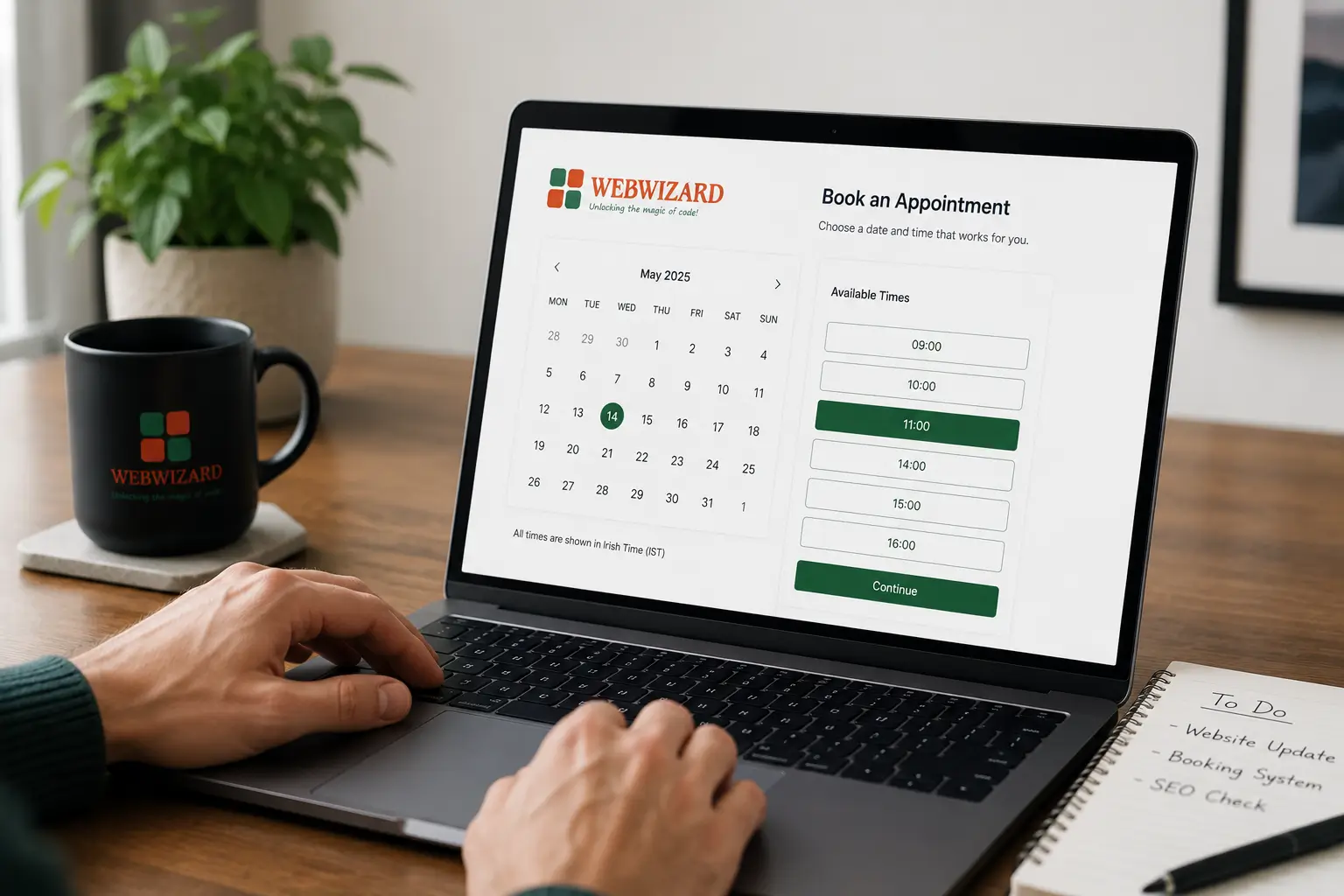
Online booking removes the friction entirely. The customer sees your real availability, picks a slot, gets an instant confirmation, and the appointment lands in your calendar without you touching anything. That convenience is exactly what makes a business website convert rather than just sit there looking pretty.
There's a visibility benefit too. Once you have a booking page, you can attach it to your Google Business Profile so people can book directly from your listing in Maps and Search. If you haven't set that profile up properly yet, our guide to mastering your Google Business Profile is the place to start, because the two work together: the profile gets you found, the booking system gets you paid.
The Four Ways to Add an Online Booking System to Your Website
There are four ways to add an online booking system to a business website: link out to a hosted booking page, embed a booking widget into your existing site, install a booking plugin if your site runs on WordPress, or build a custom booking system. They range from free and instant to bespoke and four-figure, and the right choice depends on how central bookings are to your business.
Option 1: Link Out to a Hosted Booking Page
Tools like Calendly, Fresha and Booksy give you a booking page hosted on their platform. You add a "Book Now" button to your website that sends visitors there. It's the fastest option, often free to start, and requires zero technical work.
The trade-off is that you're sending customers away from your website onto someone else's, sometimes surrounded by that platform's branding and, in marketplace apps like Booksy or Fresha, occasionally a list of your competitors. Fine as a starting point. Not where you want to stay long term if your brand matters to you.
Option 2: Embed a Booking Widget on Your Own Site
Most of the same platforms, plus dedicated tools like SimplyBook.me, Setmore and Square Appointments, let you embed the booking calendar directly into a page on your website. The customer never leaves your site, the experience feels like yours, and you still get the platform's scheduling engine, reminders and payment handling underneath.
For most Irish small businesses, this is the sweet spot: platform reliability with your branding. The only real caveat is that a poorly configured widget can slow a page down, so it's worth checking your load times after embedding. Our website speed checklist covers how to test that properly.
Option 3: Install a WordPress Booking Plugin
If your site runs on WordPress, plugins like Amelia, Bookly and Simply Schedule Appointments build the entire booking system into your own website. You own the data, there's no monthly platform fee (most charge a yearly licence instead), and everything from the calendar to the confirmation emails lives under your domain.
This is the approach we use most often at Web Wizard. Booking plugin integration is a standard part of our WordPress website design service, and for appointment-based businesses we configure the whole thing before launch: services, staff calendars, buffer times, payments and reminders. The plugin route does come with one obligation, though. Plugins need updating, and a booking system is the last thing you want breaking silently, which is worth understanding before you commit; see what happens when you don't update WordPress plugins.
Option 4: Build a Custom Booking System
When your booking logic is genuinely unusual, multi-location rotas, complex resource allocation, member pricing, integrations with internal systems, off-the-shelf tools start to creak. At that point a custom build makes sense. It costs more upfront but does exactly what your operation needs, with no per-booking fees and no workarounds.
This is custom web application development territory rather than a plugin job. If you're not sure where the line sits, our plain-English guide to what web apps are and how they differ from websites explains it without the jargon.
| Method | Typical cost | Setup time | Best for | Main drawback |
|---|---|---|---|---|
| Link to hosted page | Free to ~€15/month | Under an hour | Testing demand, sole traders | Sends visitors off your site |
| Embedded widget | Free to ~€35/month | A few hours | Most small service businesses | Ongoing subscription, some page-speed care needed |
| WordPress plugin | ~€70 to €250/year licence | Half a day to configure well | WordPress sites wanting ownership and no monthly fees | Needs updates and maintenance |
| Custom build | €2,500 to €20,000+ | 4 to 12 weeks | Complex or high-volume booking operations | Highest upfront cost |
Want Booking Built Into Your Website From Day One?
Custom, SEO-ready websites from €1,500 | Booking, payments and reminders configured before launch | Free consultation
How Much Does an Online Booking System Cost in Ireland?
Pricing is the question every other guide dodges, so here are real numbers. They shift a little year to year, but the brackets have been stable for a while.
| Tool / approach | Free tier | Typical paid cost | Payments built in |
|---|---|---|---|
| Calendly | Yes, one event type | From ~€10/user/month | Via Stripe/PayPal on paid plans |
| SimplyBook.me | Yes, up to 50 bookings/month | From ~€10/month | Yes |
| Square Appointments | Yes, single user | From ~€29/month per location | Yes, Square processing fees apply |
| Fresha | Subscription-free model | Commission on new-client bookings plus card fees | Yes |
| Amelia / Bookly (WordPress plugins) | Limited free versions | ~€70 to €250/year licence | Yes, via Stripe/PayPal add-ons |
| Custom booking system (Irish agency build) | No | €2,500 to €20,000+ once-off, plus hosting | Built to spec |
Two costs catch people out. The first is per-booking or commission pricing: a "free" platform that takes a cut of every new client gets expensive precisely when your business is doing well. The second is card processing, which applies everywhere: expect roughly 1.5% to 2.9% plus a small fixed fee per transaction whichever provider you use. If you're taking payments through your own site, it's worth reading up on how to secure online transactions on WordPress before you switch anything on.
Honestly, most Irish small businesses don't need to spend more than €200 a year on booking software. The exceptions are multi-staff, multi-location operations, or anyone whose booking rules genuinely don't fit standard tools. Everyone else is paying for features they'll never open.
Setting Up Online Booking on Your Website, Step by Step
The setup itself is less about software and more about decisions. Here's the order that works.
1. Define your services before touching any tool
Write down every bookable service with a name, a duration, a price and who can deliver it. Vague service menus produce vague bookings. "Consultation, 30 minutes, €50, with Sarah" books cleanly; "get in touch to discuss your needs" doesn't. If your services aren't clearly presented on the site itself yet, fix that first; our guide to building a service page that converts shows the structure.
2. Set your real availability, including buffers
Block out travel time, cleanup time, lunch, and the school run. The fastest way to hate your booking system is to let it fill your diary edge to edge. Add buffer times between appointments and a minimum notice period (2 to 24 hours depending on your trade) so nobody books a slot that starts in ten minutes.
3. Connect your calendar and payments
Sync the system with the calendar you actually live in, Google or Outlook, so double-bookings become impossible. Then connect Stripe or your card provider if you plan to take payment or deposits at booking. Do this before launch, not after your first no-show.
4. Embed the booking flow and make it impossible to miss
Put a booking button in your header, your hero section and at the end of every service description. This is not the place for subtlety. The wording matters too: "Book your appointment" outperforms "Submit" every time, and our post on writing calls to action that get clicked explains why.
5. Test it like a customer, on a phone
Book a real appointment yourself on your own mobile, pay the deposit, check the confirmation email, then cancel and reschedule it. Most booking journeys in Ireland now happen on phones, and a flow that works beautifully on your office desktop can be miserable on a 6-inch screen. Fix whatever annoys you, because it will annoy your customers more.
6. Switch on confirmations and reminders
Automatic email confirmation immediately, reminder 24 hours out, second reminder 2 hours out if the tool supports SMS. This single step does more to reduce no-shows than anything else you'll configure.
A real example from our own work: when we built the CareerLoom career coaching website, a WordPress build, we set up online booking with service selection (a £30 initial discussion or a £120 regular session) and direct Stripe payment, plus a customer portal where returning clients manage their own bookings. The result is that clients commit and pay in one sitting, with no manual follow-up from the founder. You can see the full breakdown in the CareerLoom case study.
Losing Bookings to Phone Tag?
WordPress and custom booking builds | No hidden fees | Live in 4 weeks, not 12-16
Deposits, Reminders and No-Shows: The Part Most Guides Skip
An online booking system doesn't just take bookings, it enforces your policies without you having to be the bad guy. Use that.
Take deposits. A €10 to €20 deposit at booking, deducted from the final bill, transforms no-show rates for salons, clinics and trainers. People who have paid something turn up. People who booked three free slots at three different businesses to "keep their options open" don't, and a deposit filters them out before they cost you a chair, a room or an hour. If deposits feel too aggressive for your market, a card-on-file with a clearly stated late-cancellation fee is the softer version.
Write a cancellation policy in plain English, show it on the booking page, and let the software enforce it: free cancellation up to 24 hours before, fee or lost deposit inside that window. Nobody argues with a policy they agreed to at checkout.
One legal note for Irish businesses: your booking system collects names, phone numbers, emails and sometimes health information, which makes you a data controller under GDPR. Choose a tool that stores data in the EU or offers proper safeguards, mention the booking data in your privacy policy, and don't reuse booking contact details for marketing without consent. The Data Protection Commission has practical guidance for small businesses. And if you're in tourism or hospitality, Fáilte Ireland publishes a useful guide to connected online booking systems worth a read before you pick a platform.
Once bookings are flowing, treat the numbers as marketing data: which services get booked, at what times, from which pages. That feedback loop is the foundation of conversion rate optimisation, and it tells you where to spend your next marketing euro.
Common Mistakes When Adding a Booking System to Your Website
Hiding the booking button
The most common mistake by a distance. The booking option sits on a "Contact" page, three clicks deep, while the homepage says nothing. If bookings are how you make money, the button belongs in the header of every page. Full stop.
Offering every appointment type under the sun
Fifteen services with overlapping names paralyse people. Start with your three to five most-booked services and add more only when customers ask. A confused visitor doesn't email you for clarification, they leave.
Choosing a marketplace platform and calling it a website strategy
Booksy and Fresha profiles are fine as an extra channel, but if that's your only online presence, your customer list effectively belongs to the platform and your "page" sits beside your competitors'. Your own website with integrated booking is an asset you control. The broader picture of what that looks like is covered in our overview of website design services in Ireland, including booking websites.
Setting it up and never maintaining it
Booking systems fail quietly: a plugin update breaks the payment step, an expired Stripe key kills checkout, and you only find out when a customer rings to ask why the calendar is blank. Someone needs to test the booking flow monthly. If that someone won't be you, a website maintenance plan is cheaper than a month of lost bookings.
Ignoring the industries this matters for most
If you run a clinic or practice, online booking isn't a nice-to-have, it's the standard your patients now expect; it's central to how we approach healthcare website design. The same goes for gyms, studios and trainers, where class schedules and memberships make booking the core of the site, which is exactly what our fitness and wellness website design work is built around.
Getting Your Online Booking System Live This Month
You don't need a big project plan for this. Pick the method that fits where you are today: a hosted page if you're testing the water, an embedded widget or WordPress plugin for most established businesses, a custom build only if your booking rules demand it. Define your services, set honest availability, connect payments, put the button where nobody can miss it, and switch on reminders. A focused afternoon gets most businesses from "call us" to taking their first online booking, and every booking after that is one phone call you didn't have to answer.
If you'd rather have it done properly first time, we build booking-ready websites for Irish businesses every month, from salon sites with deposits and SMS reminders to full custom booking applications. Get in touch with Web Wizard for a no-obligation chat about what would suit your business, and we'll tell you honestly whether you need a €70 plugin or something more.