Introduction
Planning a website redesign and concerned about losing your Google rankings? You should be. A poorly managed redesign is one of the fastest ways to destroy months or years of SEO work in a matter of days. Knowing how to redesign your website without losing SEO rankings is not optional - it's the difference between launching a better site and launching a site that no longer shows up in search results.
Businesses that have spent considerable time building organic traffic often see rankings collapse after a new site goes live, not because the design is worse, but because of specific technical decisions made during the build. Redirect chains, missing redirects, deleted pages, broken analytics, incorrect canonical tags - any one of these can cost you the visibility you've worked to earn.
This guide walks through every stage of a safe redesign: from the audit work you do before a single page is touched, through the technical work that happens during the build, to the 30-day monitoring plan after launch. Follow this process and you protect what you've built. Skip it and you may spend the next three to six months recovering lost ground.
Pre-Redesign: Audit Your Current SEO Value
Before a single page of your new design is built, you need to know exactly what you are protecting. Most businesses go into a redesign with a rough idea that their site ranks for a few useful terms. That's not specific enough. You need a complete picture of which pages rank, for which keywords, and what links those pages have earned.
Start with a full crawl of your existing site using a tool like Screaming Frog or Sitebug. Export every URL that exists, including service pages, blog posts, category pages, and any URL that has received organic traffic in the past 12 months. Cross-reference this against Google Search Console to identify which pages are indexed, which are generating impressions, and which are actively ranking for keywords your business cares about.
What to document before your redesign begins
- All URLs currently indexed by Google (export from the Search Console Coverage report)
- Pages receiving organic traffic in the past 12 months (from Google Analytics 4)
- Top-ranking keywords and which page each keyword belongs to
- Inbound backlinks and which URLs they point to (use Ahrefs or Semrush)
- All existing meta titles and meta descriptions
- Current Core Web Vitals scores from Google Search Console
- Internal link structure and primary navigation paths
- Existing robots.txt rules and your XML sitemap structure
For Irish businesses, pay particular attention to pages ranking for local search terms. If you are ranking for "web design Dublin," "accountant Cork," or any location-specific query, those pages carry concentrated local SEO value. Losing a locally optimised page during migration without a correct redirect is especially damaging for businesses competing in Irish regional searches, where the pool of competing pages is smaller but the intent of the searcher is higher.
Once you have this audit, you have your baseline. Nothing should go live on the new site until every item in this audit is accounted for, either kept at its existing URL or properly redirected.
| Audit Item | Tool to Use | What to Export |
|---|---|---|
| Indexed URLs | Google Search Console | Full URL list from Coverage report |
| Organic traffic per page | Google Analytics 4 | Landing page report, last 12 months |
| Keyword rankings by page | Semrush or Ahrefs | Position tracking export with target URLs |
| Inbound backlink profile | Ahrefs or Semrush | All inbound links with their destination URLs |
| Core Web Vitals scores | Google Search Console | Poor and needs-improvement URLs |
| Full site crawl | Screaming Frog | All URLs, HTTP status codes, meta data |
The Number One Mistake: Broken Redirects and Lost Pages
Ask any SEO professional what causes the most damage during a website redesign and the answer is almost always the same: missing redirects. It is the single most common reason businesses lose rankings after launching a new site, and it is entirely preventable.
Here is what happens in practice. A page on your old site ranks on page one for a competitive keyword. During the redesign, the developer changes the URL structure. Maybe /services/web-design/ becomes /our-services/ or /web-design-ireland/. Without a 301 redirect from the old URL to the new one, Google arrives at the old URL, receives a 404 error, and begins devaluing that page's ranking position. Depending on how competitive the keyword is, you can lose rankings within two to four weeks of launch.
Redirect chains cause further damage. A redirect chain occurs when the old URL redirects to an intermediate URL, which then redirects to the final URL. Google follows these chains, but each additional hop dilutes the link equity being passed through the chain. If your redirects involve three or four hops, you are losing authority even when you believe the situation has been handled.
The practical consequences of missing redirects
- 404 errors on previously indexed pages signal to Google that content has been permanently removed
- Backlinks pointing to old URLs lose their SEO value if those URLs are not redirected
- Visitors arriving from external sites, newsletters, or social media hit error pages instead of your content
- Crawl budget is consumed by pages returning errors rather than by live, indexable content
Redirect loops create a different problem entirely. A redirect loop occurs when URL A redirects to URL B, which redirects back to URL A. This causes the page to fail to load completely. Both chains and loops need to be identified and corrected before launch, because fixing them after the fact means your rankings have already started to decline.
The fix is systematic: every old URL must be mapped to its equivalent new URL before the site goes live. This URL mapping document is one of the most important technical deliverables in the entire redesign project.
URL Structure Planning: Keep URLs or Redirect Smartly
The safest approach to URL structure during a redesign is to preserve existing URLs wherever possible. If your service page currently lives at /web-design/, keep it at /web-design/ on the new site. Google has indexed that URL, external sites may link to it, and your ranking position is associated with it. Changing it for the sake of a cleaner navigation structure or a redesigned information architecture costs more than it saves, unless you have a rigorous redirect plan in place.
That said, some URL changes are justified. If your old site uses dynamic URLs like /page?id=47&category=services, migrating to clean, keyword-rich URLs such as /web-design-services-ireland/ is a genuine SEO improvement worth the migration effort, provided every old URL is redirected correctly to its new equivalent.
How to create your URL mapping document
- Export every URL from your crawl audit and list them in column A of a spreadsheet
- In column B, record the equivalent new URL for each old URL
- Mark each row as: same URL (no redirect needed), redirected (301 redirect required), or removed (redirect to nearest related page or homepage)
- For pages being removed with no clear equivalent, redirect to the most closely related category or parent page rather than the homepage where possible
- Send this document to your developer before any build work begins, treating it as a technical specification
- After launch, test every redirect in the document using a tool like httpstatus.io to confirm the correct status code and destination
For Irish businesses using hosting providers like Blacknight, Hosting.ie, or similar managed hosting services, confirm before your project begins that your host supports server-level redirect configuration. Redirects should be implemented via .htaccess (for Apache servers) or your Nginx server block configuration. Server-level 301 redirects pass full link equity. JavaScript-based redirects and meta refresh tags do not, so your developer should not use those as a workaround.
If your redesign also involves moving from HTTP to HTTPS, you will need a separate layer of HTTP-to-HTTPS redirects in addition to your content URL redirects. These must be configured correctly to avoid canonicalization conflicts between the HTTP and HTTPS versions of your pages.
Meta Tags, Titles and Descriptions: Preserve What Works
Your meta titles and descriptions often represent months of iterative work, either through deliberate optimisation or through accumulated knowledge of what drives clicks in your particular market. Losing this data during a platform migration or theme change is one of the most avoidable SEO setbacks in a redesign project.
When moving from one content management system to another, or even when switching WordPress themes, meta data held by an SEO plugin can be wiped if the migration process doesn't account for it. Yoast SEO, RankMath, and similar plugins store meta data in custom database fields that are not always transferred automatically during a site migration.
Steps to protect your meta data during redesign
- Export all existing meta titles and descriptions from your current SEO plugin before any migration begins
- Store these in a spreadsheet alongside their corresponding URLs, treating it as a content preservation document
- After the new site is built, verify manually that each key page's meta data has been correctly imported or re-entered
- Use the redesign as an opportunity to write meta descriptions for any pages that previously had none
- Check for duplicate meta titles across the new site: duplicate titles indicate either a structural issue or a migration error
Open Graph tags and structured data (schema markup) also require attention here. If your current site has product schema, local business schema, or review aggregate schema in place, these must be carried across to the new site in full. Schema markup influences your appearance in search results, including rich results for products, reviews, FAQs, and local business details. Losing it removes a competitive advantage that took time to establish.
Planning a Redesign? Protect Your Rankings First
SEO-safe redesigns from €1,500 | Full redirect mapping included | Free pre-redesign SEO consultation | Ready in 4 weeks
Content Migration: Moving Content Without Losing Rankings
Content is where the majority of your SEO value resides. Your service pages, blog articles, and landing pages have accumulated authority through inbound links, user engagement, and consistent indexation. Moving this content carelessly during a redesign can strip away that authority even when redirects are correctly in place.
The governing principle is content preservation: every piece of content that is currently driving organic traffic must arrive at its new home with its heading structure, body copy, word count, internal links, and images fully intact. This means not cutting sections to tighten the page, not merging two pages that Google currently ranks independently, and not replacing detailed content with a shorter version because the new design template looks cleaner that way.
Content migration checklist
- Prioritise your top 20 traffic-generating pages for individual manual review before launch
- Copy all body content, H1, H2, and H3 headings, and paragraph formatting from each high-traffic page
- Preserve internal links within body copy: if your services page linked to your portfolio page, that link must be present on the new version
- Confirm all images have migrated correctly and that alt text is preserved on every image
- Check word counts on your most important pages: if a page had 1,400 words and ranked well for a competitive keyword, do not publish a 400-word version on the new site
- Review blog posts individually rather than bulk-importing: formatting errors, broken links, and missing images are common in bulk migrations
- After migration, confirm that no important pages have been accidentally set to noindex via a WordPress setting or your SEO plugin's configuration
If the redesign involves moving to a completely different platform, such as switching from a custom CMS to WordPress, content migration becomes its own project phase. Treat your top 20 traffic pages as launch-critical. Every other page can follow in a structured content audit in the weeks after launch, provided redirects from the old URLs are in place from day one.
Our web design services include full content migration planning as part of every redesign project. We document the SEO value of each page before the build starts and treat content preservation as a non-negotiable technical requirement, because the cost of getting this wrong is measured in months of lost organic traffic.
Technical SEO During Redesign: The Critical Checklist
The technical foundation of your new site determines how efficiently Google can crawl, index, and rank your content. A visually impressive redesign built on weak technical SEO will underperform a simpler site that handles the fundamentals correctly. Most technical SEO errors in a redesign are introduced during the build phase and discovered weeks later when rankings have already started to fall.
Technical SEO checklist before and at launch
- robots.txt during development: Block the staging site from being crawled. Before launch, confirm the live site's robots.txt does not contain any Disallow rules that block Google from your important pages or directories.
- XML sitemap: Generate a fresh sitemap on the new site that includes only indexable pages. Do not include redirect pages, noindex pages, or URLs returning 4xx errors. Submit it to Google Search Console on launch day.
- Canonical tags: Verify canonical tags point to the correct preferred URL. A misconfigured canonical can instruct Google to ignore a page entirely, removing it from indexation without any visible error.
- HTTPS implementation: If the site is not already on HTTPS, the redesign is the right time to implement it. All HTTP versions of pages must redirect to their HTTPS equivalents with properly configured 301 redirects.
- Staging crawl: Run a full crawl of the staging site before launch using Screaming Frog. Identify broken internal links, redirect chains, orphaned pages, and pages accidentally set to noindex.
- Structured data: Re-implement all schema markup from the old site, including LocalBusiness, Product, Review, and FAQ schema where applicable.
- Analytics tracking: Confirm Google Analytics 4 is firing correctly on every page of the staging site before launch, including the thank-you pages for form submissions and purchases.
- Search Console verification: If the domain changes, add the new domain as a property in Search Console. If only the site structure changes, verify that existing ownership tokens are still present on the new site.
- 404 testing post-launch: Systematically test every redirect in your URL mapping document after the site goes live, confirming each returns a 200 status code at the destination and not a new 404.
- Hreflang tags: If your site has pages targeting both Irish and UK audiences, confirm hreflang tags are correctly configured to avoid language or region targeting errors.
For businesses hosted with Irish providers that use shared hosting or managed WordPress plans, check before the project begins that your host supports .htaccess configuration or server-level redirect rules. Some entry-level managed hosting plans limit access to server configuration, which can make implementing redirect rules more complex.
Mobile and Page Speed: Don't Sacrifice Performance
A redesign almost always introduces heavier pages: higher-resolution images, more JavaScript, custom animations, and larger CSS frameworks. Each of these adds to page load time, and page speed is a confirmed Google ranking factor. If your redesign makes the site look better but loads 40% slower, you have created both an SEO problem and a user experience problem simultaneously.
Google uses mobile-first indexing for all websites. This means it evaluates and ranks your site based on the mobile version of your pages. If your new design is optimised primarily for desktop and the mobile layout is cluttered, slow, or poorly structured, your rankings will reflect the mobile experience rather than the desktop one.
Performance testing checklist
- Run PageSpeed Insights on your current live site before redesign begins and record the scores as your baseline
- Test the staging version of the new site with PageSpeed Insights before launch: the new site should match or beat the current scores
- Compress and convert images to WebP format where possible, with JPG as a fallback for older browsers
- Use lazy loading for images that appear below the visible area on page load
- Avoid loading large third-party JavaScript libraries site-wide when they are only needed on specific pages
- Check Largest Contentful Paint (LCP), Cumulative Layout Shift (CLS), and Interaction to Next Paint (INP) against Google's recommended passing thresholds
- Test the mobile layout across multiple device sizes: a Galaxy S22, iPhone 14, and a 768px tablet viewport as a minimum
If your new staging site scores materially worse on Core Web Vitals than your current live site, delay the launch until performance is addressed. The trade-off of a visually improved site versus a slower, lower-ranking one is not usually the right call for your business.
Backlinks and Internal Links: Maintaining Your Link Equity
Backlinks are endorsements from other websites pointing to specific pages on your site. Every backlink points to a specific URL. If that URL changes during a redesign and no redirect exists, the backlink becomes worthless, and the authority it carried disappears with it.
Before your redesign, export your full backlink profile from Ahrefs or Semrush. Identify which pages have the most backlinks pointing to them. These are your highest-priority pages for redirect mapping. A page with 25 inbound links from reputable Irish business directories, industry publications, or partner websites represents significant, hard-to-replace SEO equity. Losing those redirects may take six to twelve months to recover from, even after the redirects are eventually corrected.
After your new site launches, proactively contact the highest-value referring domains and ask them to update their links to point directly to your new URLs. This removes the small fractional equity loss that even a correctly implemented 301 redirect introduces versus a direct link to the new URL. Focus this outreach on your top five to ten referring domains rather than attempting to contact every site in your backlink profile.
Internal link equity on the new site
Internal links distribute authority within your own site. During a redesign, internal link structures often change substantially as navigation menus, footer content, and body copy are rewritten. Before the build begins, identify which pages on your new site should receive the most internal link support: typically your primary service pages and highest-converting landing pages. Make sure the new site's navigation, footer, and body content directs link equity toward these priority pages, not evenly across all pages regardless of their commercial importance.
Google Search Console: Monitor and Fix Issues After Launch
Google Search Console is your first line of defence after the redesign goes live. It tells you whether pages are being crawled but refused indexation, whether your sitemap has errors, whether Core Web Vitals scores have changed since launch, and whether any manual actions have been applied to your site.
On the day your redesign launches, submit your new XML sitemap in Search Console. This signals to Google that the new version of your site is ready to be re-crawled. After that, monitor the following reports consistently for at least the first two weeks after launch:
- Coverage report: Any increase in 404 errors or "Excluded" pages after launch indicates redirects that were missed or pages that were accidentally removed from the new site.
- Core Web Vitals: Watch for any deterioration in LCP, CLS, or INP scores compared to your pre-launch baseline. Declining scores here will affect rankings within weeks if not corrected.
- Performance report: Track impressions and click-through rate by page. A sudden drop in impressions on a specific page often points to a canonicalization error or an accidentally applied noindex tag.
- Manual Actions: Check this immediately after launch and weekly thereafter to confirm no penalties have been triggered by the redesign.
- Links report: Confirm that your top linked-to pages are still appearing correctly after migration and that no important pages have been stripped of their inbound link data.
Set up an anomaly detection alert in GA4 for organic traffic sessions. A drop of more than 20% in organic sessions within the first two weeks of launch is a flag that needs immediate investigation, before any ranking decline becomes a longer-term problem rather than a short-term fluctuation.
E-Commerce Redesigns: Special Considerations for Online Stores
Redesigning an e-commerce website carries additional SEO complexity because the URL structure is typically far more extensive. Category pages, product pages, filtered collection pages, paginated URLs, and site search result pages all need to be managed separately within your redirect and canonicalization plan.
The most common e-commerce redesign mistake is allowing faceted navigation (filtering by size, colour, price range, or material) to generate thousands of new indexable URLs on the new site. These near-duplicate pages dilute your crawl budget, compete with your primary category pages, and can trigger duplicate content issues that harm your entire site's visibility. Before launching, confirm that faceted navigation parameters are either blocked via robots.txt, handled with noindex tags, or consolidated using canonical tags pointing to the unfiltered category page.
E-commerce SEO migration checklist
- Map every product URL, category URL, and collection URL from the old site to its equivalent on the new site
- Preserve existing product descriptions in full: do not replace detailed product copy with shorter versions during migration
- Carry across product schema (price, availability, review aggregate) to all product pages on the new site
- Handle out-of-stock product pages correctly: do not delete them. Redirect discontinued products to the most relevant category page or a comparable current product
- Confirm that internal search result URLs and filter parameter URLs are properly handled with noindex tags or canonical references
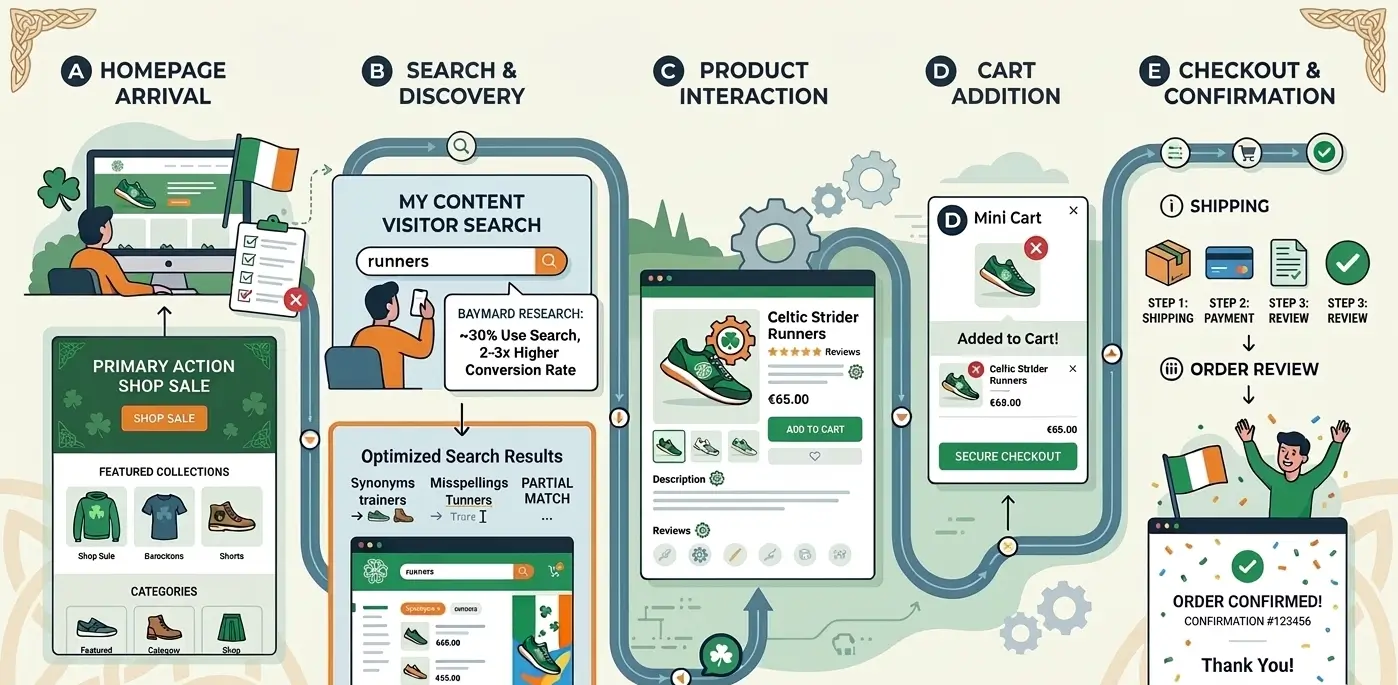
- Test the full checkout flow on the staging site before launch: conversion rate is as measurable and as important as rankings
- Verify that all product image alt text has been migrated correctly
If your redesign involves moving to Shopify or migrating between e-commerce platforms, our ecommerce website development service covers full SEO migration planning as part of the project, including redirect mapping, product schema implementation, and a structured post-launch monitoring process.
Post-Redesign: The 30-Day SEO Monitoring Plan
The work doesn't end when the site goes live. The first 30 days after a redesign launch are the highest-risk period for SEO loss. Google will re-crawl your site, reassess your content, and recalculate rankings based on what it finds on the new version. This is a normal part of any site change, but it requires active management rather than hoping for the best.
Daily and weekly monitoring tasks for the first 30 days
- Days 1 to 7: Check Search Console daily for new 404 errors, sitemap submission confirmation, and crawl anomalies. Fix any errors within 24 hours of identifying them.
- Days 1 to 7: Verify that GA4 is recording sessions, organic source attribution, and conversion events correctly across every page.
- Days 8 to 14: Compare organic traffic in GA4 against the same period in the previous month or year. A small dip in the first two weeks is typical as Google re-evaluates the new version. A drop of over 25% signals a technical problem requiring investigation.
- Days 8 to 14: Check keyword rankings for your top 15 to 20 target terms. Use your rank-tracking tool to compare positions before and after launch side by side.
- Days 15 to 30: Review the Core Web Vitals report in Search Console for any pages now returning poor scores.
- Days 15 to 30: Audit all internal links on the new site to confirm they resolve correctly and do not pass through redirect chains.
- Day 30: Run a full crawl of the live site and compare the results against your pre-launch crawl. Investigate any pages that were previously indexed but are now missing, returning errors, or returning unexpected status codes.
A correctly executed redesign typically sees a temporary ranking fluctuation in weeks one to three, followed by stabilisation and gradual improvement from week four onwards. If rankings haven't recovered to or beyond their pre-redesign baseline by week eight, there is an unresolved technical issue in the site that needs to be identified and corrected.
Common Redesign SEO Mistakes That Kill Rankings
The following mistakes recur in website redesign projects and account for the majority of post-launch SEO issues. Check our Website Redesign Strategy & Planning Guide or Web Design Mistakes Businesses Make for further information
Launching without a redirect mapping document: The single most damaging and preventable error. Going live without a complete, tested redirect map means every changed URL is a potential 404, and every 404 is an indexed page that will begin to lose its ranking position. There is no acceptable shortcut here. The redirect map must be completed and tested before launch.
Forgetting to update robots.txt after launch: Staging sites are correctly set to disallow search engine crawling during development. The mistake is failing to update robots.txt before the live site is published. A live site with "Disallow: /" in its robots.txt will disappear from Google's index within days. This is one of the fastest ways to lose your entire site's visibility in a single error.
Migrating platforms without checking analytics integration: Moving from one CMS to another frequently breaks Google Analytics tracking. If GA4 is not correctly implemented and verified on the new platform before launch, you lose accurate post-launch data and your ability to quickly diagnose whether an organic traffic drop is a real ranking issue or an analytics misconfiguration.
Creating redirect chains rather than direct 301 redirects: When multiple rounds of redirects exist from previous site migrations or URL changes, adding a new layer of redirects on top creates chains of three or more hops. These should be identified in your pre-launch crawl and flattened to a single direct redirect from the original URL to the final destination.
Removing content to simplify the new design: Every page that currently ranks, regardless of how modest its traffic, has been assigned some degree of SEO authority by Google. Deleting pages without redirects wastes that authority. If a page is no longer commercially relevant, redirect it to the closest current equivalent.
Redesigning Your Website? Don't Risk Your Google Rankings
Web Wizard handles every SEO detail of your redesign. Redirect mapping, content migration and post-launch monitoring included as standard.
When to Bring in SEO Experts for Your Redesign
Most redesign SEO problems happen because the people building the new site are focused on design and functionality, while the SEO requirements are treated as secondary. This is a reasonable division of focus for a designer or developer, but it creates significant risk for your search visibility if no one in the project is solely responsible for SEO preservation.
You should involve an SEO professional before your redesign begins if any of the following apply to your situation:
- Your current site is generating organic traffic that your business would notice if it dropped significantly
- You are changing your domain name, platform, or URL structure
- Your site has more than 50 indexable pages
- You operate an e-commerce store with product and category pages
- You are not confident reading Google Search Console data or interpreting a crawl report
- Your business relies on local search visibility in specific Irish cities or counties
If you're planning a redesign and want to make sure your rankings come through intact, get in touch with Web Wizard before the project starts. We work through every stage of this process with our clients, from the pre-launch audit through to the 30-day monitoring plan, so that your new site builds on what you've earned rather than starting the SEO process from scratch.